GIFs and emojis
Emojis and GIFs live in the same picker, right next to the message field. Emojis drop into your text; GIFs (powered by Tenor) send as their own message.
- 🖥 Web
- 📱 Mobile
-
Open the conversation and click the emoji button next to the message field. A panel opens with two tabs — emoji and GIF.
-
On the emoji tab, browse by category or type in Search for an emoji... and click one to add it to your message.
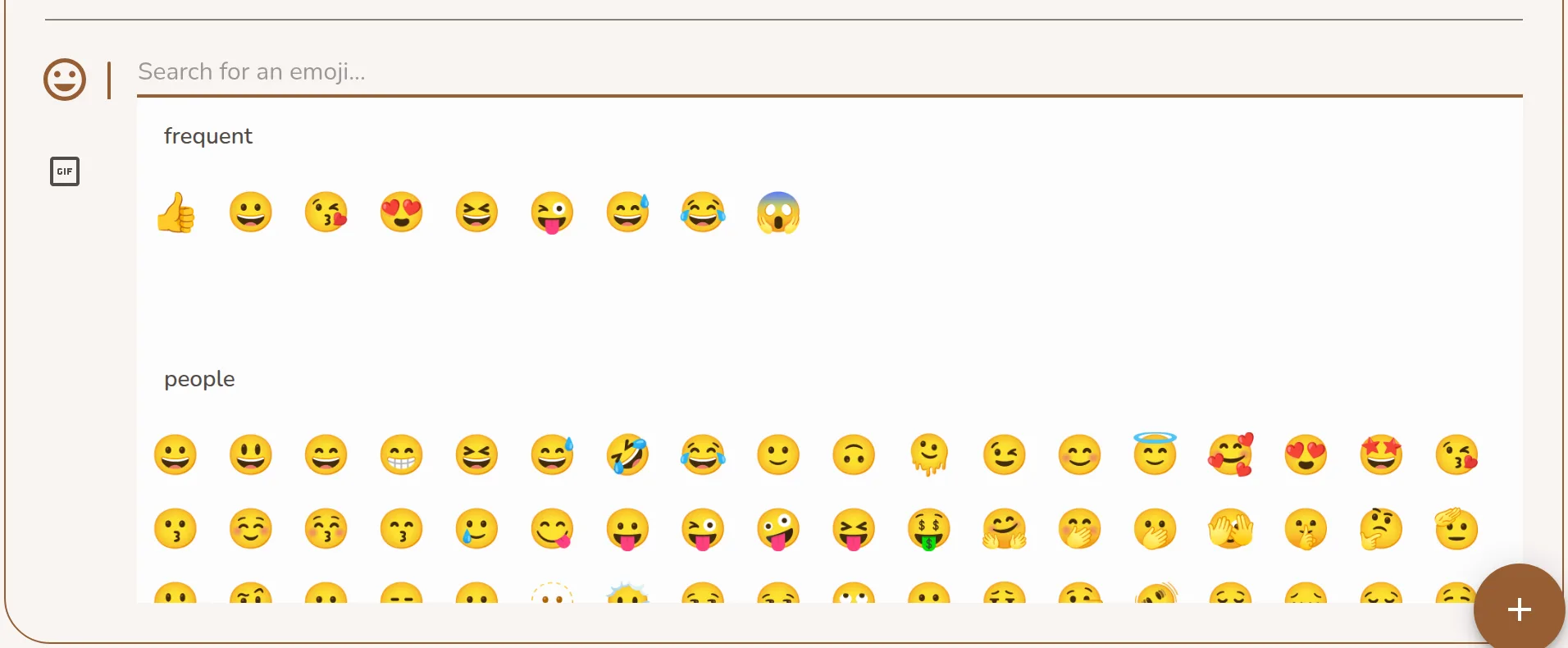
The emoji tab of the emote panel open below the message field, with the emoji search -
Switch to the GIF tab, search for a GIF, and click it to send.
Screenshot coming soonThe GIF tab of the emote panel showing Tenor GIF search results
-
Open the conversation and tap the emoji button to the left of the message field. The panel opens with emoji and GIF.
-
Tap an emoji to add it to your message, or switch to GIF, search, and tap one to send.
Screenshot coming soonThe mobile emote panel open below the message field with emoji and GIF tabs
Emojis aren't just for messages — you can also use them as reactions on any message. Latte remembers the ones you use most and surfaces them first.