Try the demo
Want to see what Latte feels like with a full calendar, friends, and group chats — without creating an account? The demo drops you into a ready-made student persona with everything already filled in.
The demo needs a Demo access key (handed out at events, or built into a shared demo link). Demo sessions are temporary — everything resets when you leave.
- 🖥 Web
- 📱 Mobile
-
Go to app.latte.study/sandbox (or open the demo link you were given). You can also click Try a demo on the sign-in screen at app.latte.study.
-
Enter your Demo access key and click Continue.
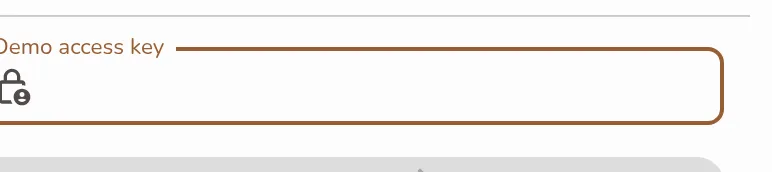
The demo key gate: the Demo access key field and Continue button on the sandbox landing page -
Pick a persona from the grid — each is a different student with their own courses, friends, and calendar.
Screenshot coming soonThe persona grid of ready-made demo students, one card carrying a Premium badge, plus the Create your own card -
Latte builds the sandbox — you'll watch it seed courses, friends, groups, and more — then drops you into the app as that student. Each demo group comes with its own calendar, so you can share an event with a group and see it land in the group chat, exactly as with a real account.
-
Ready for the real thing? The persona picker asks Want your own account? — click Sign up free to leave the demo and sign in with your own Google account.
Screenshot coming soonThe 'Want your own account?' prompt with the Sign up free button under the demo persona grid -
When you end a demo with Exit sandbox in the demo banner, Latte brings you back to the picker with Thanks for trying Latte! — "Create your free account to keep planning with your own schedule, tasks, and groups." — and a Create your real account button.
Some personas carry a Premium badge. Pick one to preview what's included in Premium inside the demo, with those features already switched on.
-
Open Latte and tap Try a demo at the bottom of the sign-in screen.
-
Enter your Demo access key and tap Continue.
-
Tap a persona to enter — Latte builds the sandbox and drops you in.
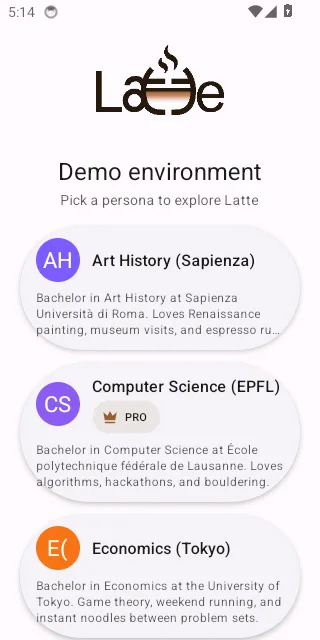
The mobile persona grid after entering the demo key, with tappable persona cards -
To leave, use the demo banner's exit control. The phone app takes you straight back to the sign-in screen — the Sign up free prompt described above is on the web app only.