Set up your account
Your Latte identity is two things: a display name everyone sees, and a username friends use to find you. Latte gives you a starter name when you join — this is about making it yours, plus adding an avatar.
Sign in first.
- 🖥 Web
- 📱 Mobile
-
Open your Profile from the navigation.
-
Click your name at the top of the profile to open the edit dialog.
-
Set your Display Name and Username, then confirm.
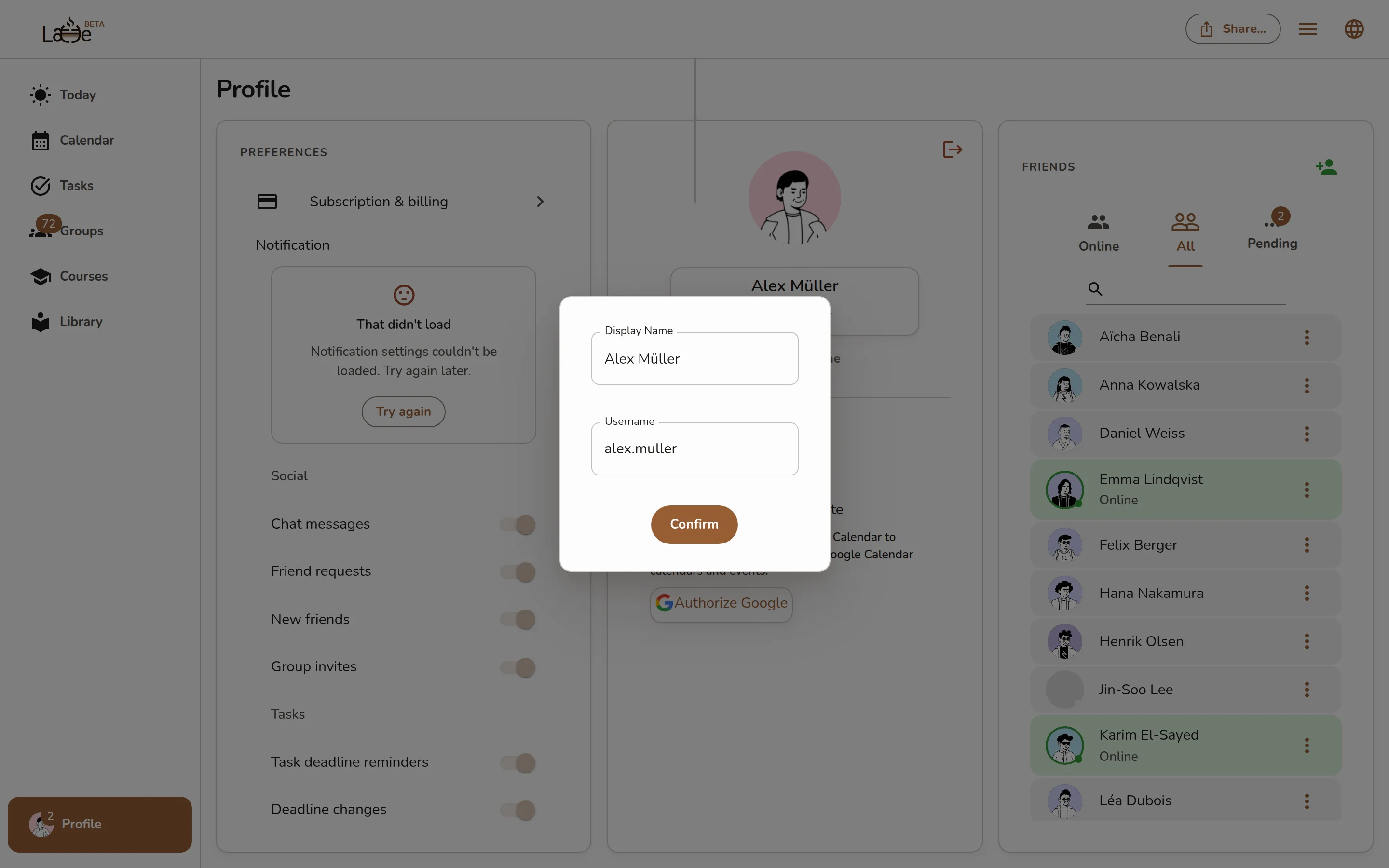
The profile name edit dialog with the Display Name and Username fields filled in Your username must be unique and can only contain letters, numbers, and the characters
,,.,@, and#. If it's already taken, Latte tells you right away. -
Back on your profile, click your avatar to upload a picture (optional).
Same profile, same steps on the desktop app.
-
Tap the Profile tab (the account icon at the far right of the bottom bar).
-
Tap your Display name or Username to edit it, then confirm.
Screenshot coming soonThe mobile Profile tab showing the editable avatar, display name, and username at the top -
Tap your avatar at the top to set a profile picture (optional).
Your Username is how friends add you, and it's different from your display name. Share it from your profile — on web there's a Copy username button right under it.