React to messages
A reaction is a quick emoji you stick on someone's message — perfect for a thumbs-up or a laugh without adding another line to the channel.
- 🖥 Web
- 📱 Mobile
-
Right-click the message to open its menu. The reaction bar sits at the top.
-
Click a quick reaction (👍 😂 ❤️), or open the picker to choose any emoji.
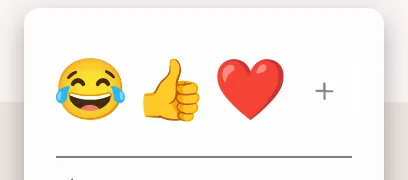
The reaction bar at the top of the right-click message menu with quick emoji reactions -
Your reaction appears under the message. To remove it, click your own reaction again.
-
Long-press the message to open its menu. The reaction bar is at the top.
-
Tap a quick reaction (👍 or 😂), or tap the more button to search for any emoji.
Screenshot coming soonThe reaction bar in the long-press message menu with the thumbs-up, laugh, and more buttons -
Your reaction appears under the message. To remove it, tap your own reaction again.
Good to know
When several people react with the same emoji, Latte groups them into a count — tap or hover the reaction to see who reacted.