Browse and upvote shared notes
Everything shared with your groups collects in one place — on the web that's the Library, together with your own uploads and private captures. Search it, narrow it down, open a resource to read or download it, and mark the ones that helped so the best ones rise to the top.
- 🖥 Web
- 📱 Mobile
-
Open Library from the navigation. The header counts what's there and holds the Search the library box; resources are laid out as a grid of cards, newest first, with anything from the last week collected under New this week (and the rest under Earlier).
-
Narrow the grid to what matters right now:
- Scope chips — All, Shared with me, My uploads, Private.
- The Course and Type chips filter by course and by kind of resource.
- Clear filters resets everything.
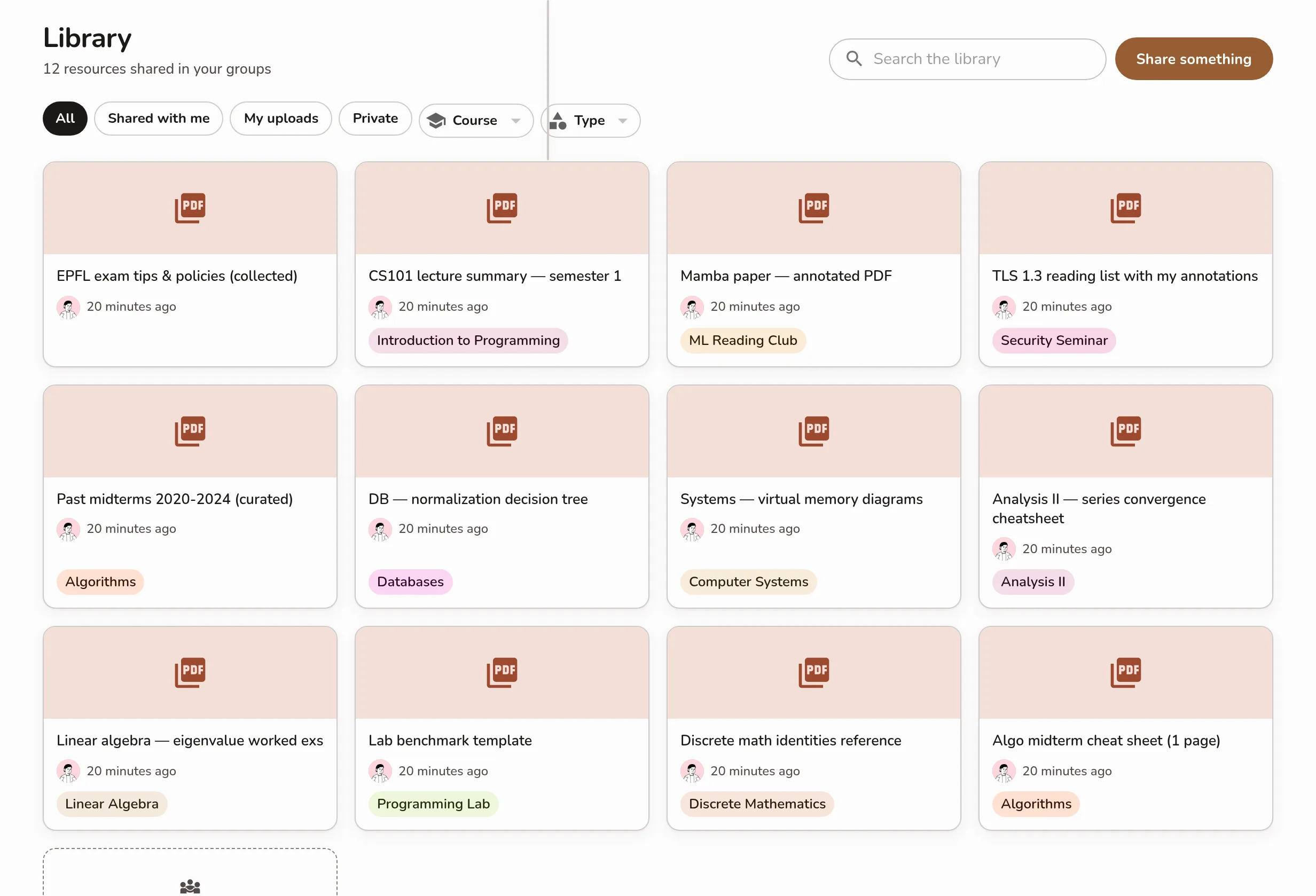
The Library — search box and Share something in the header, the All / Shared with me / My uploads / Private scope chips with the Course and Type filter chips, and the card grid with its New this week section -
Click a card to open the resource on its own page. A PDF, image, or voice note previews inline with a Download button; a link opens in a new tab; a text note shows its body. Back to library returns you to the grid.
-
If it helped, click the thumb to Mark useful. The count next to it shows how many students found it useful — click again to Unmark.
Screenshot coming soonAn open Library resource at /library/[id] showing its preview, the Mark useful thumb with the useful count, the view count, and Back to library -
To add something yourself, click Share something in the header — it opens the share sheet.
-
Open the Library tab. It opens straight onto the resources shared in your groups.
-
Narrow the list with the scope chips — All, Shared with me, My uploads, Private — and the Course and Type filters. Search the library finds one by name.
Screenshot coming soonThe mobile Shared Resources list with the filter row (course, date, group, shared by me) above the resource rows -
Tap a resource to open it. Files download automatically and preview inline — use Download to save a copy or Share to send it on.
-
On the open resource, the thumb marks it useful and the counts underneath show how it's landing with everyone else — N students found this useful and N views.
Screenshot coming soonThe trust signals on an open shared resource on mobile: the thumb-up Mark useful toggle, 'N students found this useful', and the 'N views' count
The useful/view counts show on the open resource, not in the list.
Looking for a resource someone posted in a group? The group's own Resources tab lists everything shared into that group — notes, links, and discussions — and each note links through to the Library.