Push notifications
Latte keeps you in the loop about new chat messages, friend requests, and group invites. How you're alerted depends on the device you're using — live in-app updates on the web, and true push notifications on your phone.
- 🖥 Web
- 📱 Mobile
-
There's nothing to switch on. While Latte is open in your browser, new chat messages, friend requests, and group invites arrive live, and anything unread shows a count badge on the navigation rail and on the conversation list in Groups.
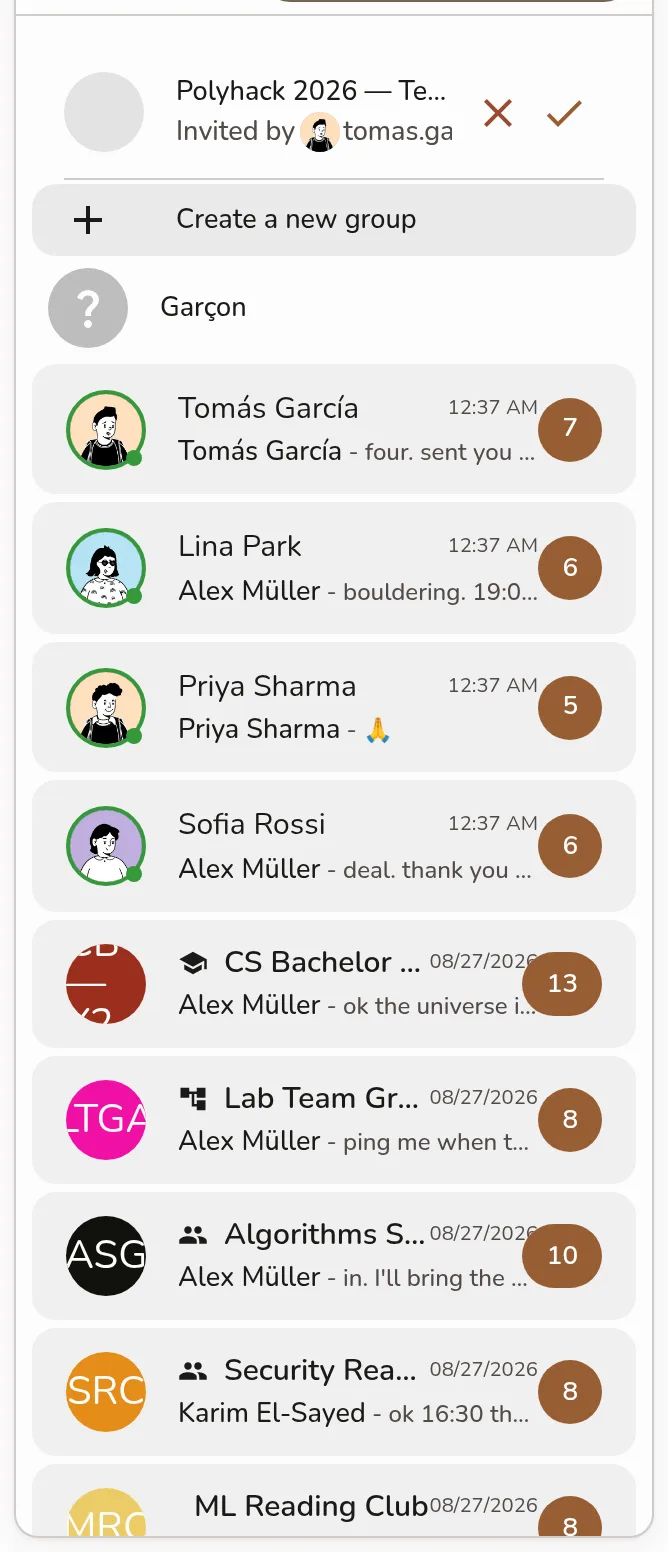
The Groups rail showing the conversation list with an unread-message count badge on a group row -
The web app doesn't send system (operating-system) push notifications — those alerts only reach you while the tab is open. To be notified when Latte is closed or you're away from your computer, install the Latte mobile app and follow the Mobile steps.
The desktop app behaves exactly like the web app here: live in-app updates and unread badges, but no separate operating-system push. For alerts on the go, use the mobile app.
You need to be signed in on the Latte mobile app.
-
Sign in. The first time, your phone asks whether Latte can send notifications — tap Allow on the system prompt.
Screenshot coming soonThe system prompt asking whether Latte can send notifications, with the Allow button -
That's the whole setup. Latte registers your device and starts delivering push notifications — even when the app is closed or your phone is locked:
- Chat messages, friend requests, group invites, and new friends.
- Task deadline reminders — "⏰ (your task) is due soon."
- Deadline changes — "📅 The deadline for (your event) changed." — when an event Latte imported from your Google Calendar is moved to a different time.
- Peer nudges — "👋 (your friend) is checking in on you." See Nudge a friend.
- An optional daily digest of the day's tasks, at an hour you pick.
Every one of these can be switched off individually — see Notification preferences.
-
On Android, if your phone is restricting Latte in the background, a Restrictions detected notice appears. Tap it to open your battery-optimization settings and let Latte run in the background, so notifications arrive on time.
Prefer fewer alerts? You can tune what you receive in Notification preferences. And you can act on a notification without opening Latte — see Respond from a notification.