Create an event
Events are the building blocks of your Latte calendar — lectures, study sessions, meetings, anything with a time. You can create one from any calendar view, make it repeat, and share it with your groups.
You need at least one calendar. Latte creates a personal calendar for you when you join, so you're ready to go unless you deleted it — see Create a calendar.
If Latte cannot load your calendars, the grid says Event creation is unavailable and the create popover will not open. Reload the page; if it persists, contact support.
- 🖥 Web
- 📱 Mobile
-
Open Calendar from the navigation.
-
Click an empty slot on the grid. A small popover opens right where you clicked: Add a title, pick a duration chip (30 min, 1 hour, or 2 hours), and — if the event is for one of your groups — flip Also add to and pick the group.
-
Click create, and the event is on the grid. That's the whole flow for a quick event.
Screenshot coming soonThe week grid right after the quick-create popover's Create — the new event chip sitting on the slot that was dragged -
Need more than a title and a time? Click More options in the popover — the full Create an Event dialog opens with what you'd already entered ("Create a new event, task or deadline"). There you can pick an Associated calendar and a course, choose a category, and add a description.
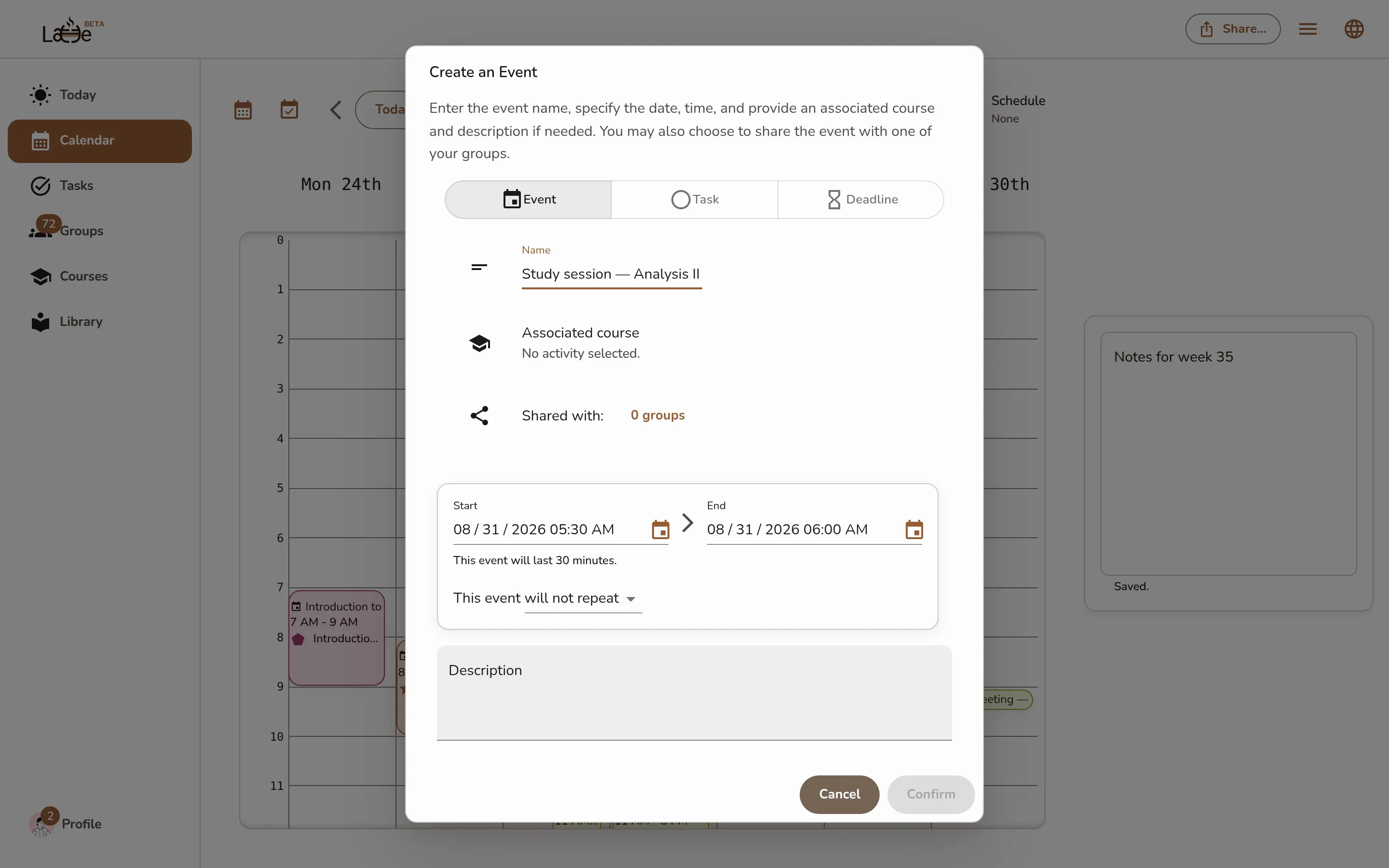
The full Create an Event dialog (reached via the quick-create popover's More options) with a name, date, and time filled in -
To make the event repeat, choose a recurrence in the full dialog. You can change single occurrences later — when you reschedule a repeating event, Latte asks Reschedule a recurring event and offers This instance only, This and the following instances of this event, or All instances of this event (see Recurring events).
-
Save. The event appears on the grid immediately — and on every device, in real time.
The desktop app has the same calendar; events you create there sync identically.
-
Open the Calendar tab.
-
Tap the + button. The event creation screen opens.
-
Enter the event's name, then set the date and time.
Screenshot coming soonThe mobile event creation screen with a name, date, and time filled in -
Optionally pick an Associated calendar and a course, choose a category, and add a description.
-
To make the event repeat, choose a recurrence.
-
Save. The event appears in your calendar immediately.
Tapping an event on mobile opens a full detail screen (on the web it opens as an overlay on the calendar) — same information, different shape.
If the event doesn't get created
- Clicking an empty slot does nothing and no popover opens. Latte could not load a calendar to put the event on — you'll see Event creation is unavailable above the grid. Reload the page. If it keeps happening, contact support.
- Create fails and the popover stays open. The popover keeps the title you typed and shows what went wrong, so you can try again without retyping it. Your text is not lost.