Explore and join your school's groups
Some groups are open to your whole school — classes, associations, and study spaces you can join without an invite. Latte gathers them in one place so you can find your people fast.
Public groups are tied to a school, so you'll only see them once you've verified a school email. If the list is empty, add one — see Add and verify your school email.
- 🖥 Web
- 📱 Mobile
-
Open the Explore your school's groups dialog. It opens on its own the first time you sign in. (Its Explore your school's public groups button is being re-homed in the redesigned navigation — if you don't spot it under Groups yet, the first-sign-in dialog and the onboarding checklist both get you here.)
-
Browse the list — these are all associated with a school you're registered in.
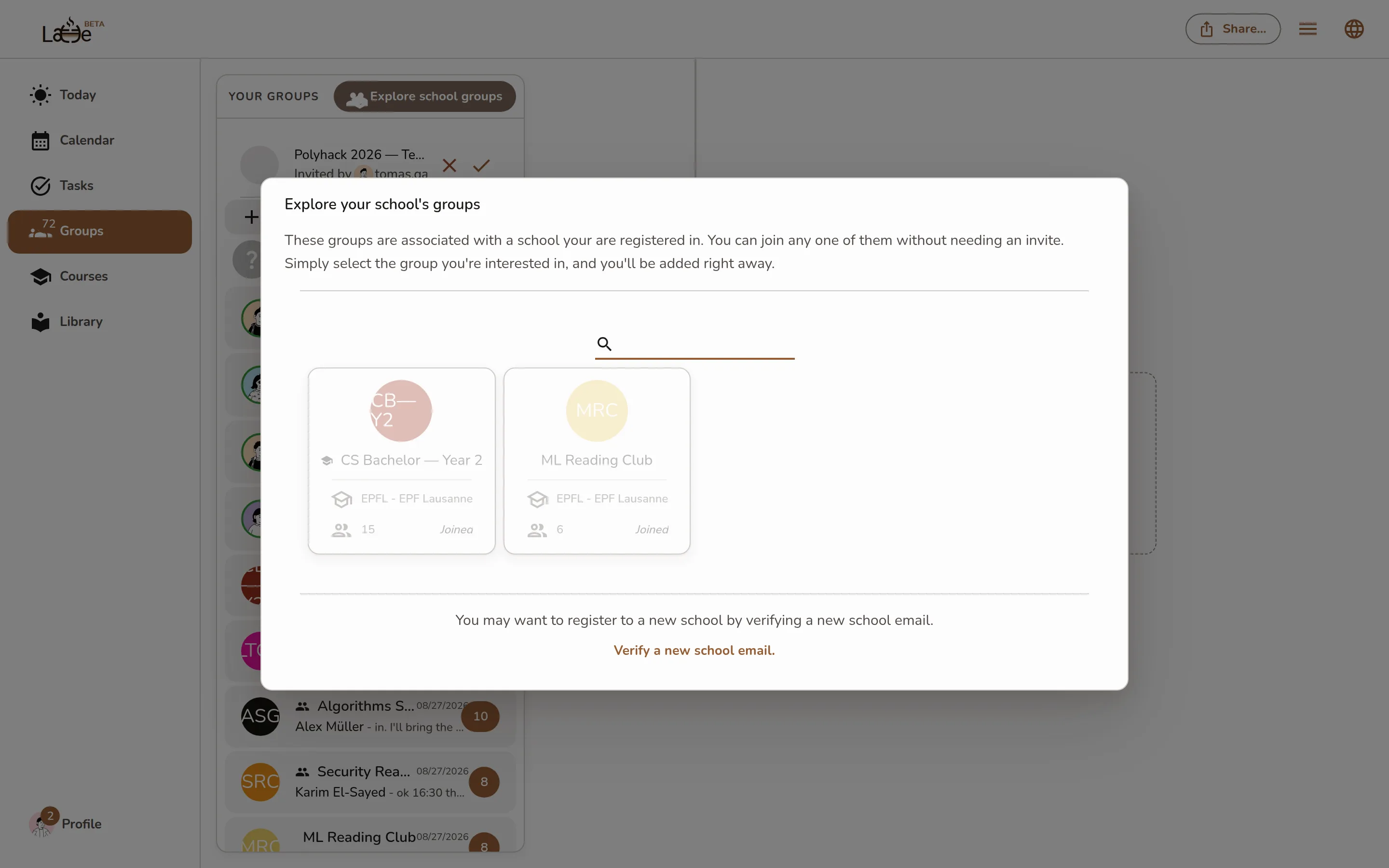
The Explore your school's groups dialog listing joinable public groups, each with a Join button -
Click Join on any group you want. You're added right away and land in the group; groups you're already in show Joined.
-
Open the Groups tab, tap the + button, then Join your school's groups.
-
Browse the list of public groups from your school.
Screenshot coming soonThe mobile public groups list with a Join button on each of your school's groups -
Tap Join on any group. You're added instantly; groups you've already joined show Joined.
If your groups aren't showing, you may be looking under the wrong school. Use Verify a new school email. to add another institution, then reopen the list.