Find your next best task
When you have a pile of tasks and only a little time, deciding what to do can cost more energy than the task itself. Latte looks at your deadlines and the time before your next event, and points you at one task to start now — never a wall of them.
This page describes the cards as they are built in the app today, checked against the code. The screenshots below haven't been re-shot since the redesign, so they show a described placeholder rather than the real thing.
- 🖥 Web
- 📱 Mobile
-
Open Today. The Up next card at the top is the suggestion: one task, a short encouraging line (for example Quick win? or Big one, start small), its course chip, and its due date.
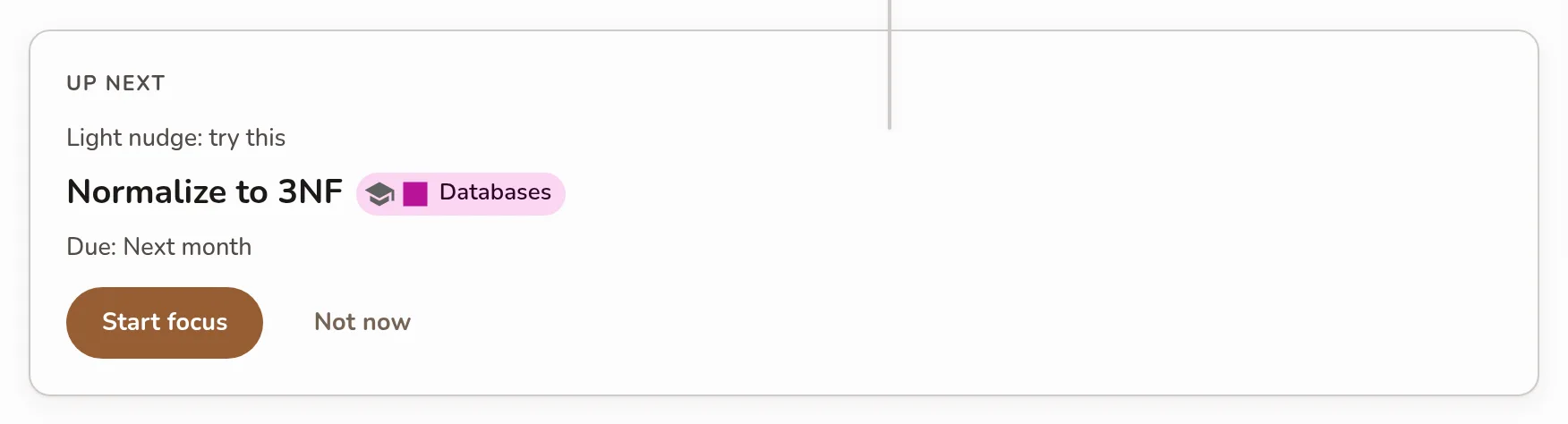
The Up next card on Today: the soft encouraging line, the single suggested task with its course chip and due date, and the Start focus / Not now buttons -
Choose how to begin:
- Start focus opens a focus session on that task and starts counting.
- Not now moves on to the next suggestion — and teaches the ranking what you skip.
-
When nothing is open, the card reads Nothing queued — add a task in Due soon below it and Latte will suggest where to start.
-
✦ Premium The AI re-rank (the sparkle toggle that replaces the encouraging line with the AI's own reasoning) currently lives on the mobile recommendation card — the web's Up next card always uses the free on-device ranking.
The desktop app shows the same card in the same place.
-
Open the Today tab. Up next is the first card on the screen, above your agenda — it names the single task to do now, with Start focus and Not now.
-
For the full ranked shortlist, open the Calendar tab, then the Tasks tab: the recommendation card sits above your task list there.
Screenshot coming soonThe recommendation card at the top of the Today tab: the suggested task, the primary 'Just start — 10 min' button, and the Not now / Focus / Start / Mark as done row -
Tap Just start — 10 min to open a focus session on that task with the soft ten-minute goal (Goal: 10 min — stop anytime), or use Focus, Start, Not now, or Mark as done in the row below it.
-
✦ Premium The sparkle icon turns on AI ranking. On the Free plan it's disabled — upgrading unlocks it.
Free ranking versus AI ranking
The everyday suggestion is computed on your device and is completely free — it never depends on AI. Premium adds an AI re-rank on top, which also writes the short rationale you see on the card. When the AI wrote that line it carries the AI-generated label; when the free ranking wrote it, it does not — see Text an AI wrote.
Neither ranking can see a grade. Latte stores no marks at all, so nothing here predicts a result or weighs a task by how you are doing in a course — see Your next three.
If AI ranking can't run, Latte quietly drops back to the free on-device ranking and tells you why in a small message — for example Daily AI quota reached. Falling back to heuristic ranking. or AI ranking needs Premium — showing the on-device ranking instead. Your suggestion always keeps working.