Unfriend or block someone
Unfriending removes someone from your friends list and closes your private chat with them. It's quiet — the other person isn't notified.
Latte doesn't have a dedicated block action today. Unfriending is how you cut contact: once you're no longer friends, your private conversation with that person becomes unavailable until you're friends again.
- 🖥 Web
- 📱 Mobile
-
Click Profile in the navigation, then open the Friends panel.
-
Find the person, click the more-actions icon (⋮) on their row, and click Unfriend.
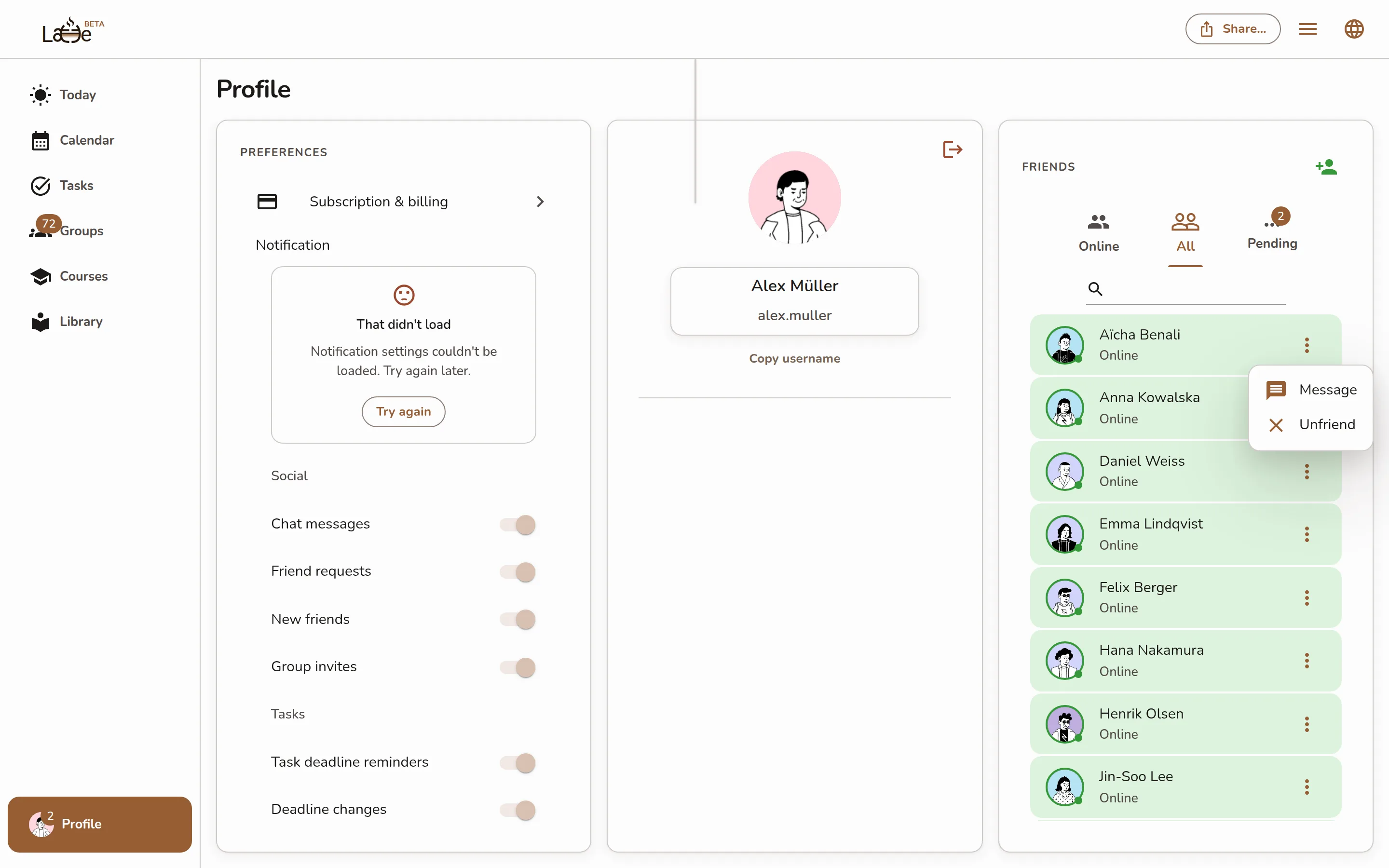
A friend row's more-actions menu open, showing the Unfriend item -
In the Remove … from your friends? dialog, click Confirm.
-
Open your profile and tap Friends.
-
Tap the more-actions icon (⋮) on the friend's row, then tap Unfriend.
Screenshot coming soonA friend row's more-actions menu open on mobile, showing the Unfriend item -
Confirm to remove them from your friends.
Changed your mind? You can send a fresh friend request later to reconnect — see Add friends.